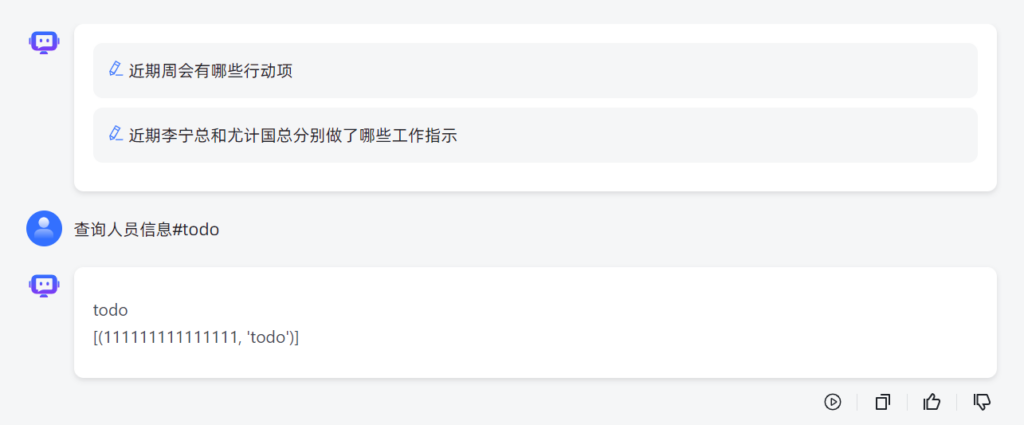
MAXKB函数查询数据库
1.docker安装oracle数据库访问驱动
docker exec -it maxkb bash
pip3.11 install sqlalchemy
pip3.11 install oracledb
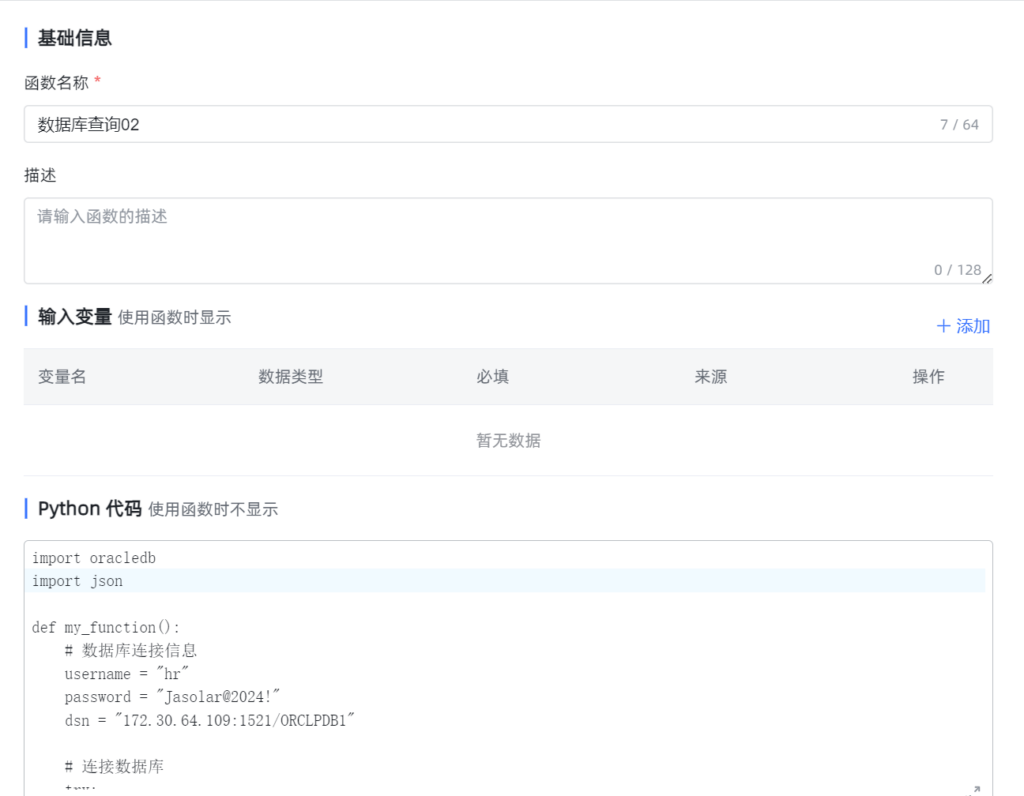
2.maxkb写访问数据库函数代码
import oracledb
import json

def my_function():
    # 数据库连接信息
    username = "hr"
    password = "Jasolar@2024!"
    dsn = "172.30.64.109:1521/ORCLPDB1"

    # 连接数据库
    try:
        connection = oracledb.connect(user=username, password=password, dsn=dsn)
    except oracledb.DatabaseError as e:
        error, = e.args
        print("Database connection error:", error.message)
        return []

    # 创建游标
    cursor = None
    result = []
    try:
        cursor = connection.cursor()

        # SQL 查询语句
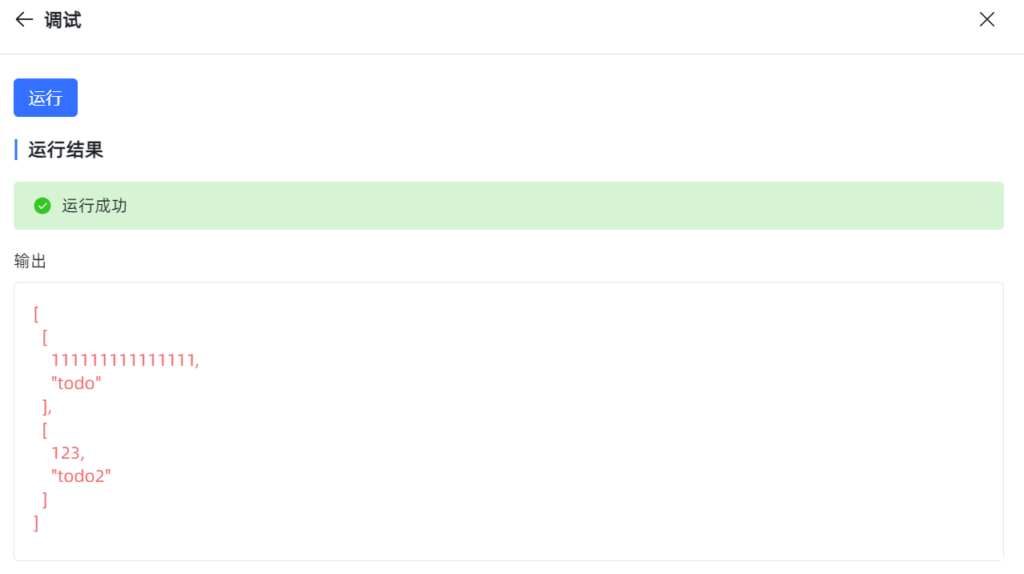
        query = "SELECT BASECODE,NAME FROM TABLE_B"

        # 执行SQL语句
        cursor.execute(query)

        # 获取所有结果
        rows = cursor.fetchall()

        # 处理并打印结果
        for row in rows:
            # value = row[0]  # 获取第一个也是唯一的元素
            print(json.dumps(row))  # 打印值
            result.append(row)  # 将值添加到结果列表中

        return result  # 返回所有值的列表
    except oracledb.DatabaseError as e:
        error, = e.args

        if error.code == 942:  # ORA-00942: table or view does not exist
            print("Table does not exist.")
        else:
            print("Database error:", error.message)
        return []
    finally:
        # 关闭游标和连接
        if cursor:
            cursor.close()
        if connection:
            connection.close()
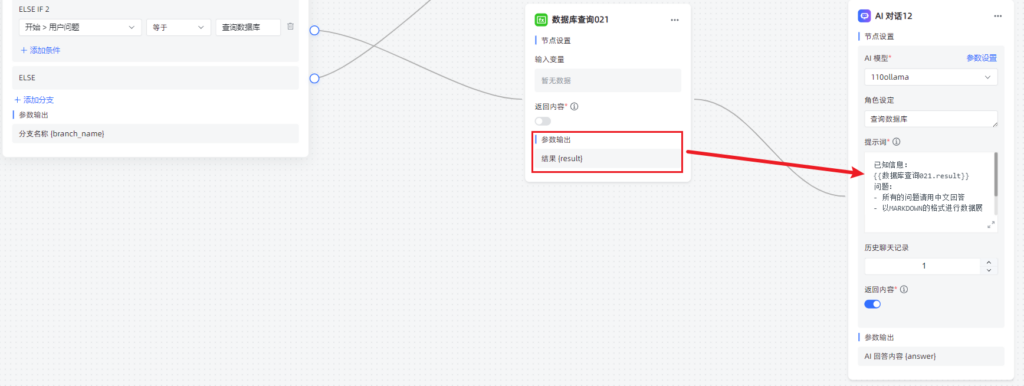
3.创建高级流程编排,并且应用AI对话
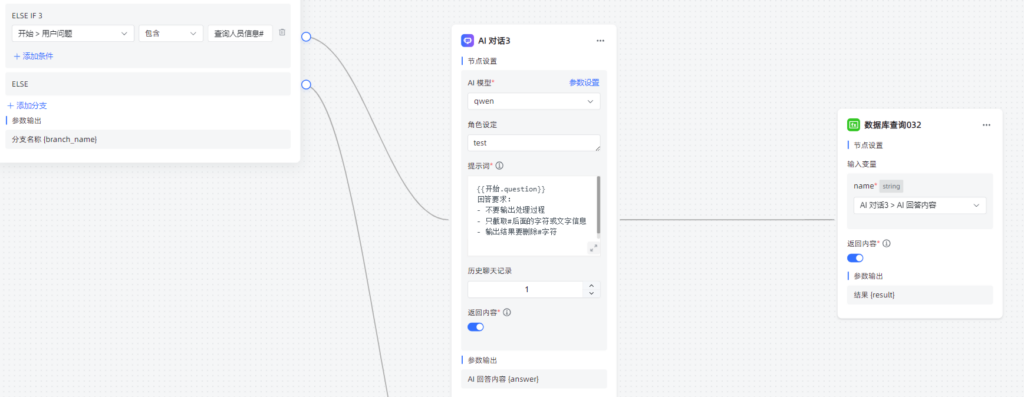
已知信息需要引用参数输出的结果,比如直接复制参数输出内容,黏贴到已知信息
在提示词中,可以引导以markdown格式输出结果
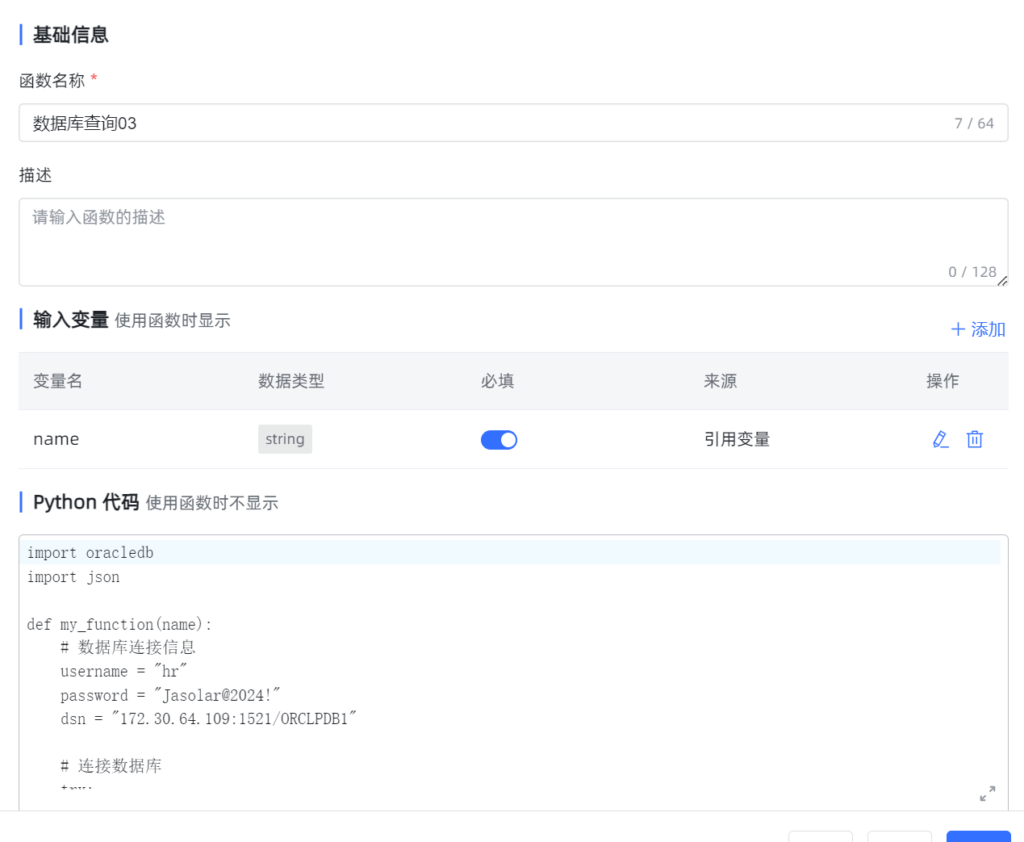
4.进阶配置,带入参数输入输出
name是输入参数
import oracledb
import json

def my_function(name):
    # 数据库连接信息
    username = "hr"
    password = "Jasolar@2024!"
    dsn = "172.30.64.109:1521/ORCLPDB1"

    # 连接数据库
    try:
        connection = oracledb.connect(user=username, password=password, dsn=dsn)
    except oracledb.DatabaseError as e:
        error, = e.args
        print("Database connection error:", error.message)
        return []

    # 创建游标
    cursor = None
    result = []
    try:
        cursor = connection.cursor()

        # SQL 查询语句
        query = f"SELECT BASECODE,NAME FROM TABLE_B where name = '{name}'"

        # 执行SQL语句
        cursor.execute(query)

        # 获取所有结果
        rows = cursor.fetchall()

        # 处理并打印结果
        for row in rows:
            # value = row[0]  # 获取第一个也是唯一的元素
            print(json.dumps(row))  # 打印值
            result.append(row)  # 将值添加到结果列表中

        return result  # 返回所有值的列表
    except oracledb.DatabaseError as e:
        error, = e.args

        if error.code == 942:  # ORA-00942: table or view does not exist
            print("Table does not exist.")
        else:
            print("Database error:", error.message)
        return []
    finally:
        # 关闭游标和连接
        if cursor:
            cursor.close()
        if connection:
            connection.close()
在AI对话中对提示词进行详细描述,并且在引用函数时,选择AI回答内容
输出结果