cx_Oracle连接数据库操作
1、安装cx_Oracle
参考链接:https://cx-oracle.readthedocs.io/en/latest/user_guide/installation.html
python -m pip install cx_Oracle
python -m pip install cx_Oracle --upgrade
2、安装Oracle Instant Client
下载地址:https://www.oracle.com/database/technologies/instant-client/downloads.html
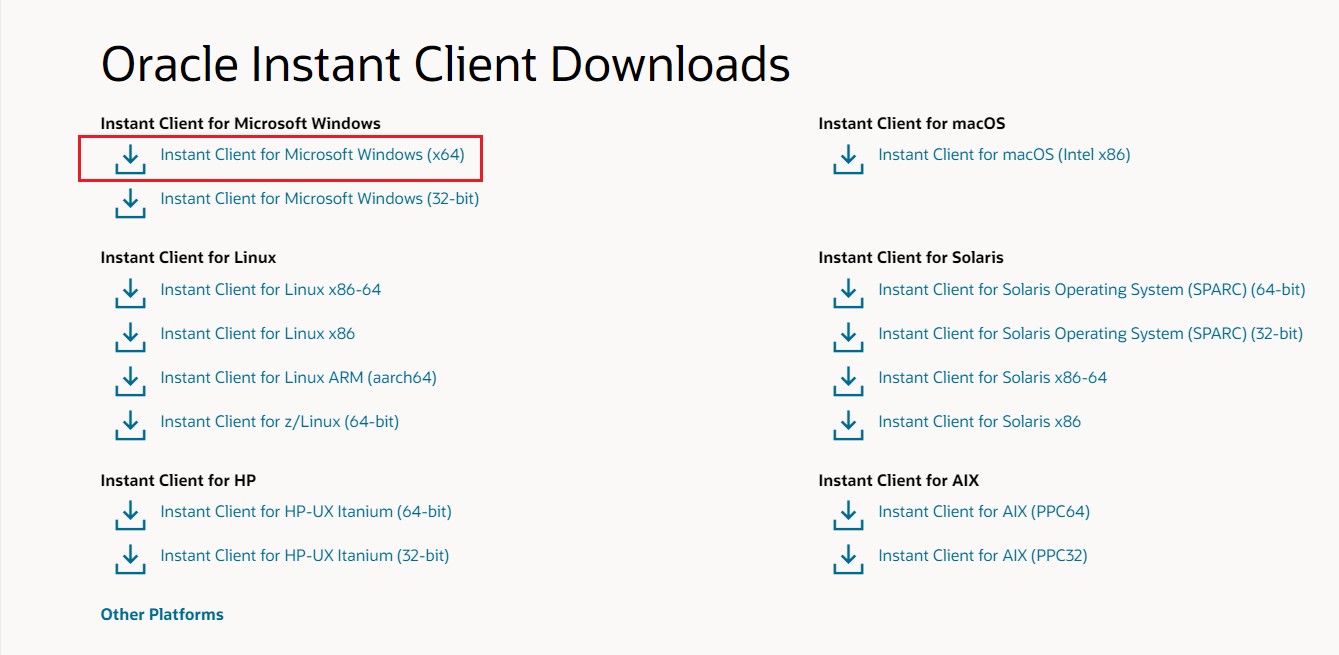
将文件解压到指定路径
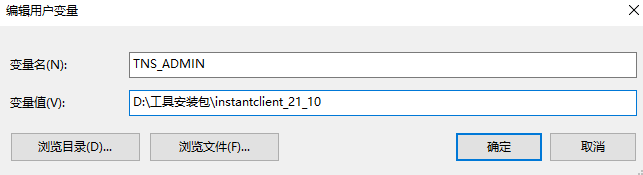
配置环境变量
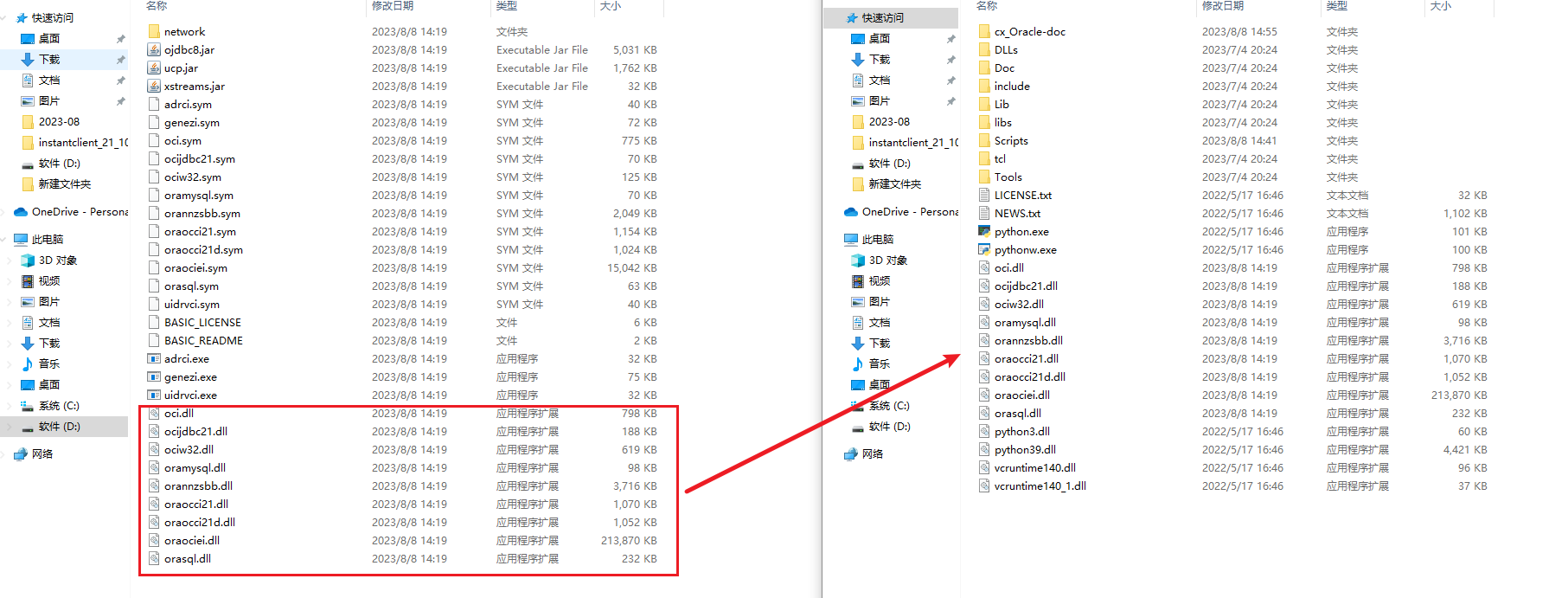
将DLL文件复制到python目录下
3、使用python读写Oracle数据库
import cx_Oracle

# 连接数据库,需要提前安装Oracle Instant Client
connection = cx_Oracle.connect(user="hik", password="Jiaen#2020",
                               dsn="172.30.64.45/ORCLPDB1")
# 创建游标
cursor = connection.cursor()

# 创建SQL语句
sql = "INSERT INTO regions_root (indexCode,name) VALUES (:indexCode,:name)"

# 执行SQL语句
# cursor.execute(sql, ["a3", "b4"])
cursor.execute(sql, [resources.json()['data']['indexCode'], resources.json()['data']['name']])
# 提交事务
connection.commit()

# 查询数据
cursor.execute("select indexCode,parentIndexCode,name from regions_root")
cursor.execute("select indexCode,parentIndexCode,name from regions_root where indexCode=:indexCode", ['root000000'])

for indexCode, parentIndexCode, name in cursor:
    print("Values:", indexCode, parentIndexCode, name)

# 关闭游标和连接
cursor.close()
connection.close()